> ## Documentation Index
> Fetch the complete documentation index at: https://dbocl.mintlify.site/llms.txt
> Use this file to discover all available pages before exploring further.
# Quickstart
> Ready to transform event chaos into organized success? Here's how to get your first event running in dBocl - no complex training required, just five straightforward steps that mirror how you already think about production.
## Step 1: Create Your Event
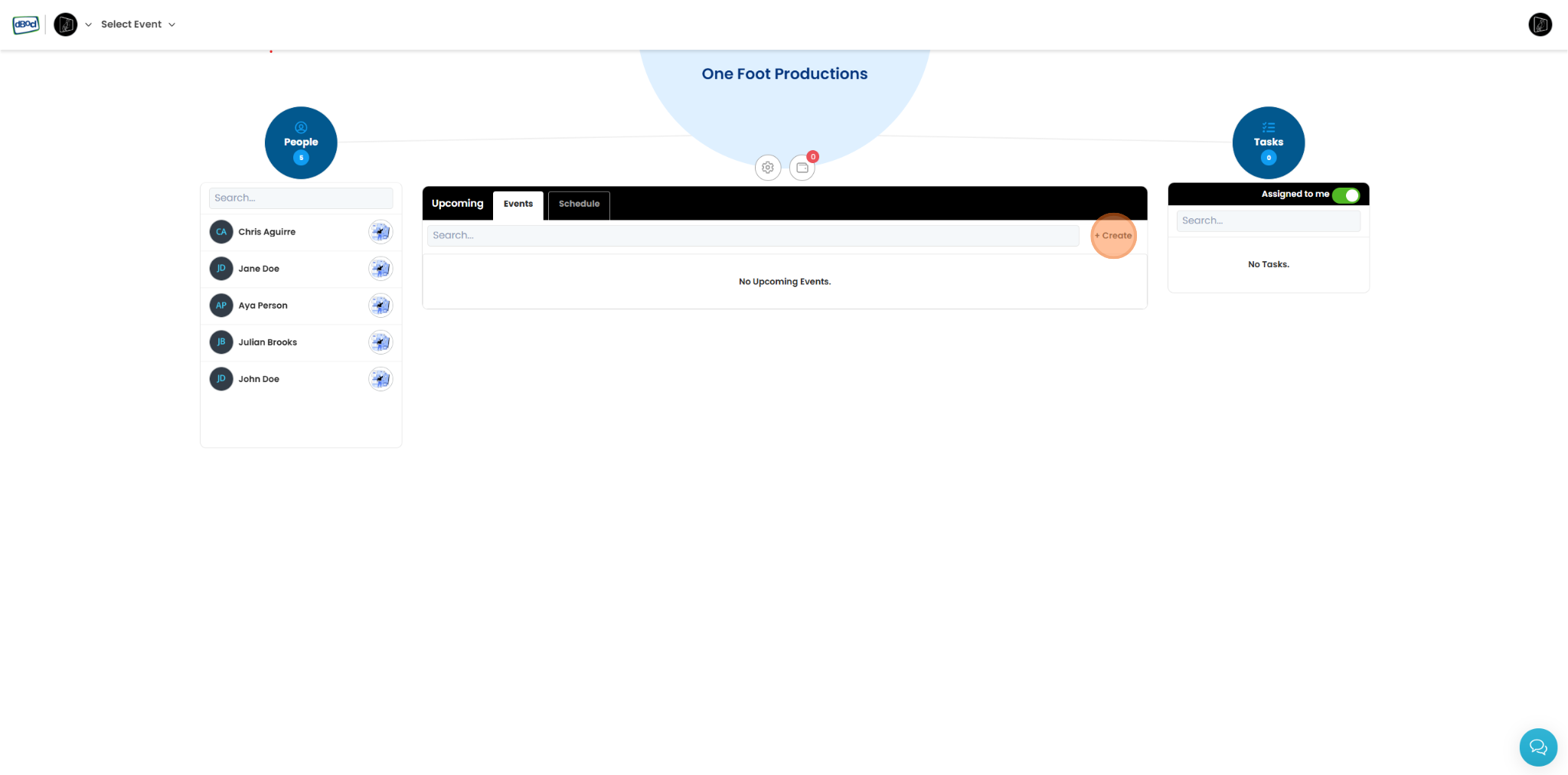
Start with the basics - event name, dates, and location. This becomes your central hub where everything else connects. Think of it as setting up your production office, except it's instantly accessible to your entire team from anywhere.
 ## Step 2: Add Your People
Import your contacts or build your team from scratch. Organize everyone by role - talent, crew, vendors, management. Each person gets their own profile with contact details, preferences, and permissions. No more digging through business cards or scrolling through endless phone contacts.
## Step 3: Build Your Schedule
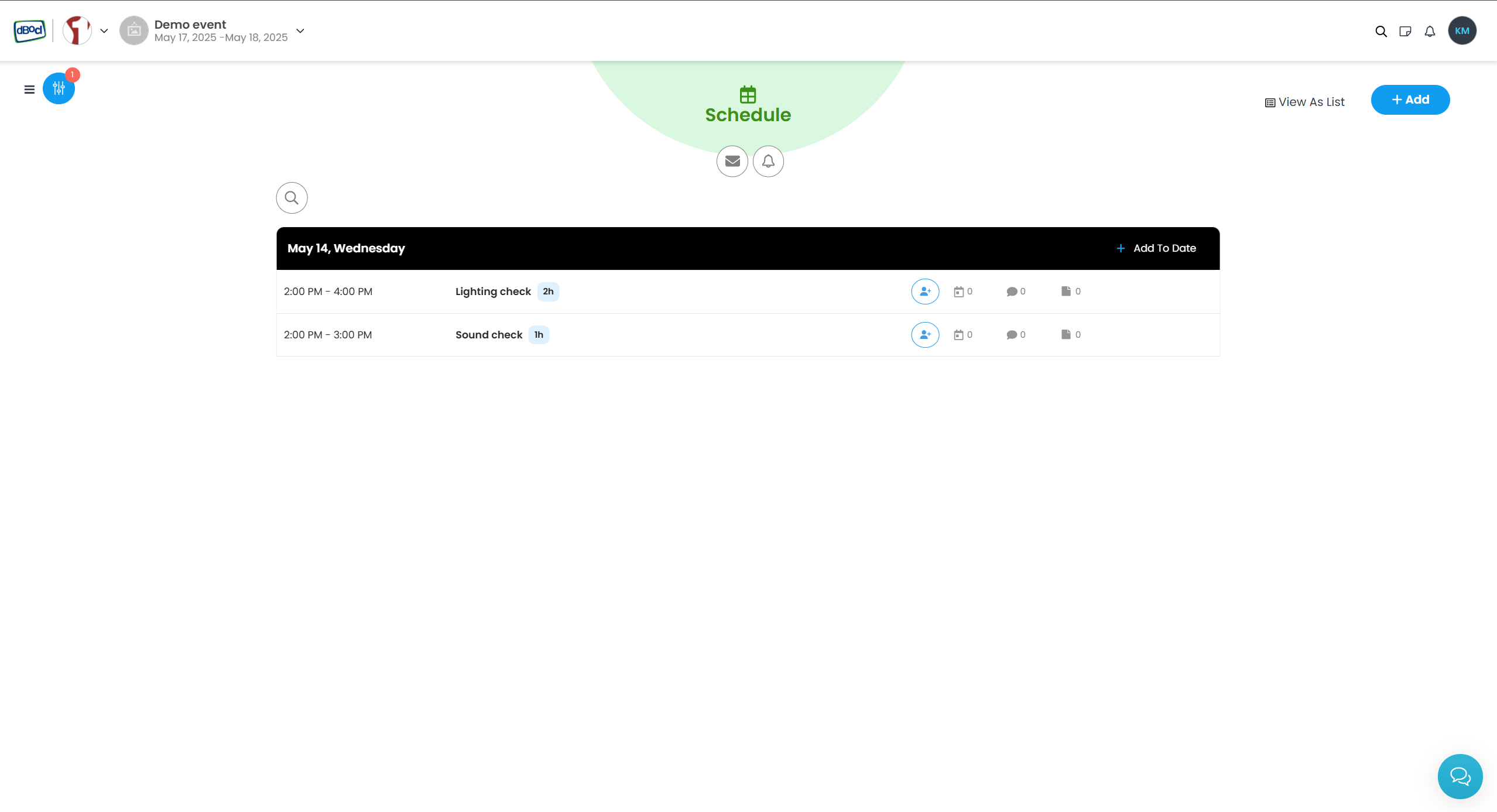
Create your timeline from load-in to wrap. Add time blocks, tag them by department, and break complex moments into detailed rundowns. The color-coded calendar view instantly shows you what's happening when - and more importantly, where conflicts might be lurking.
## Step 2: Add Your People
Import your contacts or build your team from scratch. Organize everyone by role - talent, crew, vendors, management. Each person gets their own profile with contact details, preferences, and permissions. No more digging through business cards or scrolling through endless phone contacts.
## Step 3: Build Your Schedule
Create your timeline from load-in to wrap. Add time blocks, tag them by department, and break complex moments into detailed rundowns. The color-coded calendar view instantly shows you what's happening when - and more importantly, where conflicts might be lurking.
 ## Step 4: Connect People to Schedule
Link team members to specific schedule items. Who needs to be where, when? dBocl automatically creates personalized schedules for each person, so your lighting designer only sees their calls, while you maintain the master view of everything.
## Step 5: Share the Event Schedule
Generate custom reports for different audiences - detailed technical schedules for crew, simplified call sheets for talent, executive summaries for stakeholders. Export to PDF, email directly from the platform, or print for those who still prefer paper. Everyone gets exactly what they need, when they need it, in the format that works best for them.
**The result?** Your entire production in one organized system. No more "Did you get my email?" or "Which version of the schedule are we using?" Just clarity, coordination, and successful events.
Ready to start? Create your first event and see the difference organization makes.
## Step 4: Connect People to Schedule
Link team members to specific schedule items. Who needs to be where, when? dBocl automatically creates personalized schedules for each person, so your lighting designer only sees their calls, while you maintain the master view of everything.
## Step 5: Share the Event Schedule
Generate custom reports for different audiences - detailed technical schedules for crew, simplified call sheets for talent, executive summaries for stakeholders. Export to PDF, email directly from the platform, or print for those who still prefer paper. Everyone gets exactly what they need, when they need it, in the format that works best for them.
**The result?** Your entire production in one organized system. No more "Did you get my email?" or "Which version of the schedule are we using?" Just clarity, coordination, and successful events.
Ready to start? Create your first event and see the difference organization makes.